Advertisements
Did you know that companies lose track of nearly 15% of their fixed assets every single year? I read that stat somewhere years ago and honestly, I laughed. Then I cried a little. Because that used to be me!
Choosing asset management software sounds like one of those boring back-office decisions nobody wants to think about. But trust me, it can make or break your operations. Let me walk you through what I learned the hard way, so you don’t have to.
My Painful Introduction to Asset Chaos
A few years back, I was helping a mid-sized manufacturing company get their equipment tracking sorted. They were using a spreadsheet. An actual, honest-to-goodness Excel sheet with like 40 tabs. It was a nightmare, and nobody had updated it in months.
We ended up buying two of the same forklift because nobody realized they already owned one sitting in a back warehouse. Two forklifts! That mistake cost us thousands of dollars, and it’s the exact moment I realized software wasn’t optional anymore.
Advertisements
That’s when I started digging into enterprise asset management (EAM) tools and never looked back.
What Actually Matters When Choosing Asset Management Software
There’s a ton of options out there, and it’s easy to get overwhelmed. I’ve tested probably a dozen platforms over the years, some good, some absolute garbage. Here’s what I’ve learned actually matters.
Ease of Use Beats Fancy Features
I once picked a tool because it had a slick dashboard and a hundred features. My team hated it. It was clunky, took forever to learn, and half the staff just went back to their old habits (aka sticky notes).
- Look for intuitive navigation, not just impressive screenshots
- Test the mobile app, your field workers will thank you
- Ask for a trial period before committing
Barcode and RFID Scanning Capabilities
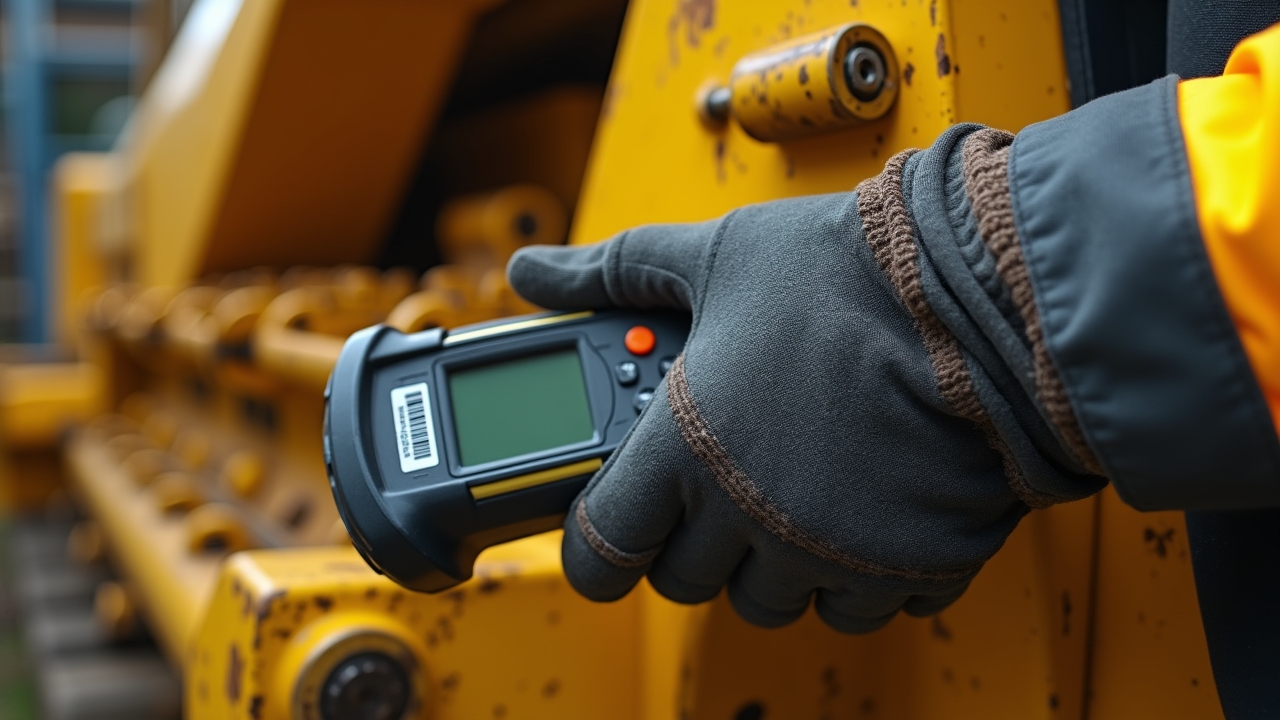
This one’s non-negotiable in my book. If your software doesn’t support barcode or RFID scanning, run the other way. Seriously.
Scanning saves so much time compared to manual entry, and it cuts down on human error big time. I’ve seen companies reduce audit time by more than half just by adding scanning into their workflow.
Integration With Existing Systems
Your asset management tool shouldn’t live on an island. It needs to talk to your accounting software, your procurement system, maybe even your CRM. When I ignored this once, we ended up manually re-entering data across three platforms. What a waste of a Tuesday afternoon that was.
Check whether the software integrates with tools like QuickBooks or other ERP systems you’re already using. It’ll save you headaches down the road, I promise.
Cloud-Based vs On-Premise: Which One Wins?
I get asked this a lot, and honestly, it depends on your situation. Cloud-based solutions have become the go-to for most businesses now, and for good reason.
- Cloud software means access from anywhere, which is huge if you have multiple locations
- Updates happen automatically, so you’re not stuck on outdated software
- On-premise gives you more control but requires more IT overhead
Personally, I lean cloud. I switched a client from on-premise to cloud-based tracking a couple years back and the difference was night and day. Less maintenance, fewer crashes, and everyone could check inventory from their phones during site visits.
Don’t Forget About Scalability
This is the one people always skip. They pick software that fits their current needs perfectly, then six months later they’ve grown and the system can’t keep up.
Ask vendors directly: can this handle double, even triple, our current asset volume? If they hesitate or dance around the question, that’s a red flag.
Customer Support Can Make or Break Your Experience
I learned this one the hard way too (are you noticing a pattern here?). I once used a platform with practically zero support. When our system crashed during a critical inventory count, we waited three days for a response. Three days!
Now I always check reviews specifically about customer service before signing any contract. Look at sites like Capterra or G2 to see real user feedback, not just marketing fluff from the company’s website.
Quick Checklist Before You Buy
- Does it offer a free trial or demo?
- Can it scale with your business growth?
- Is customer support responsive and available?
- Does it integrate with your current tech stack?
- Is the pricing transparent, with no hidden fees?
Honestly, going through this checklist would’ve saved me so much frustration over the years. I wish someone had handed me this list back when I was buying software blind, hoping for the best.
Wrapping It All Up
Choosing the right asset management software isn’t just some checkbox task, it genuinely impacts how smoothly your entire operation runs. I’ve made the mistakes so you don’t have to, and trust me, learning from my forklift fiasco is way cheaper than repeating it.
Every business is different, so take what applies to your situation and leave the rest. Always keep data security and employee training in mind too, since even the best software fails if your team isn’t using it properly.
If you found this helpful, swing by the Inventory North blog for more real-world tips on inventory and asset tracking. We’ve got plenty more stories, mistakes, and lessons waiting for you there!